A Content Credential that validates shows which certificate holder signed a set of claims about a file, and which of the file's bytes those claims cover. The person relying on the claims still has to judge whether they are true.[1] Content Credentials are manifests specified by the Coalition for Content Provenance and Authenticity (C2PA). A manifest lists statements about an asset, called assertions, in a claim that the signer signs.[1] Run the six checks below before you rely on a credential to publish, cite or label an image or video.
What you need
- A validator, such as c2patool, an open-source command-line tool documented by the Content Authenticity Initiative (CAI).[2] The CAI's documentation says the Verify tool at verify.contentauthenticity.org checks signers against a legacy interim trust list instead of the C2PA trust lists.[2, 3]
- The file as you received it, with any separate
.c2pamanifest file, which c2patool reads with--external-manifest.[2] A re-encoded or resized copy cannot match the manifest's hard binding, which is a cryptographic hash of the original asset's bytes.[1] - The C2PA trust lists. One names the certification authorities (CAs) that issue signing certificates to conforming products. The other names the CAs that issue certificates to time-stamping authorities (TSAs). Both are in the C2PA's conformance-public repository on GitHub.[3]
Step 1: Confirm that a manifest is present and validates
The specification defines three manifest states, each requiring the one before:[1]
| State | What validation has confirmed |
|---|---|
| Well-formed | The manifest and its assertions meet the specification's requirements |
| Valid | The signature verifies; the certificate was within its validity period and is not reported as revoked |
| Trusted | The certificate also chains to a trust anchor, a CA certificate that the validator accepts; or the user has added it to the validator's private credential store |
The asset is valid only if the hashed bytes are also unchanged. If the manifest is valid, you can attribute its claim to the claim generator: the hardware or software named in claim_generator_info.[1] In c2patool, --info reports whether the manifest validated, and the plain command prints the manifest data.[2]
c2patool image.jpg --info
c2patool image.jpgStep 2: Identify the signer and check it against the C2PA trust list
Find the signer: the holder of the signing certificate, identified by its subject.[1] In the C2PA conformance program, the signer is always an instance of a generator product, a system that produces assets with manifests. CAs on the C2PA trust list may issue signing certificates only to conforming products.[4] Each certificate names the product and records an assurance level, currently 1 or 2, reflecting the security requirements the product met.[4] A credential trusted against this list therefore names a product, such as a camera app.
The --certs option prints the certificate chain, and the trust subcommand checks it against the list passed with --trust_anchors.[2] If the chain reaches no accepted trust anchor, the validator reports signingCredential.untrusted.[1]
c2patool image.jpg --certs
c2patool image.jpg trust --trust_anchors='https://raw.githubusercontent.com/c2pa-org/conformance-public/refs/heads/main/trust-list/C2PA-TRUST-LIST.pem'
Both the program and conforming validators have documented gaps. An April 2026 security analysis led by researchers at the University of Maryland, Baltimore County (UMBC) says version 0.1 of the program certified products without technical review.[6] Version 0.2 has been the only version accepting applicants since 9 October 2026. It requires sample output files and a second approver for each record.[4] The UMBC-led authors also found two conforming validators that did not report Nikon's November 2025 revocation of a camera's certificate.[7] The specification says online validators should attempt a revocation check.[1]
Step 3: Separate what the signer asserts from other data
Sort what the validator displays, because only part of it is attributed to the signer. Created assertions are attributed to the signer. Gathered assertions come from other parts of the workflow, such as a person typing in details. They are signed as part of the claim but are not attributed to the signer.[1] Metadata outside the manifest, such as Exchangeable Image File Format (EXIF) fields, is not attributed to the signer even when hashed. The exception is metadata copied into a c2pa.metadata assertion among the created assertions.[1]
The actions assertion declares what was done to the asset. For a new asset, the first action is c2pa.created, with a digital source type such as trainedAlgorithmicMedia for output from a generative AI model. For an edited asset, the first action is c2pa.opened, with an ingredient assertion that describes the original.[1] Version 2.4 of the specification adds a c2pa.ai-disclosure assertion for details such as the type of model.[1] Unless allActionsIncluded is true, other actions may have gone unrecorded.[1]
Step 4: Find the bytes the hash leaves out
A hash match protects only the bytes it covers, so list the exclusion ranges: the byte ranges that the hash leaves out. One range holds the manifest, and the specification allows others only for asset metadata. The claim generator must ensure that whatever an attacker writes there cannot materially change how the asset is interpreted.[1] Validators must reject a manifest if the range holding it contains other data. They must flag extra ranges with an informational code such as assertion.dataHash.additionalExclusionsPresent.[1]
The UMBC-led authors report that a Pixel 10 Pro stored location data in an exclusion range. They also report that a conforming validator did not detect their change to that data.[7] On 2 October 2026, security researcher David Buchanan published an image with a single exclusion range that spanned the whole file. He said the image's signature was valid but protected none of the file, and that no verification tool he could find flagged it. He showed the range with c2patool's detailed report.[2, 5]
c2patool image.jpg -dStep 5: Check the time-stamp against the TSA trust list
Look for a TSA time-stamp, the only source of a trusted time for a manifest. The TSA countersigns the claim signature, which shows that the signature existed at the attested time. Times written by the claim generator, such as an action's when field, are untrusted.[1] The validator must chain the TSA's certificate to its TSA trust anchors, which include the C2PA TSA trust list. If it cannot, it reports timeStamp.untrusted and ignores the time-stamp.[1]
With a trusted time-stamp, the validator judges the certificate's validity at the attested time. The credential therefore still validates if the certificate expires or is revoked after that time.[1, 3] Without one, an unchanged file stops validating once the certificate expires.[1, 7]
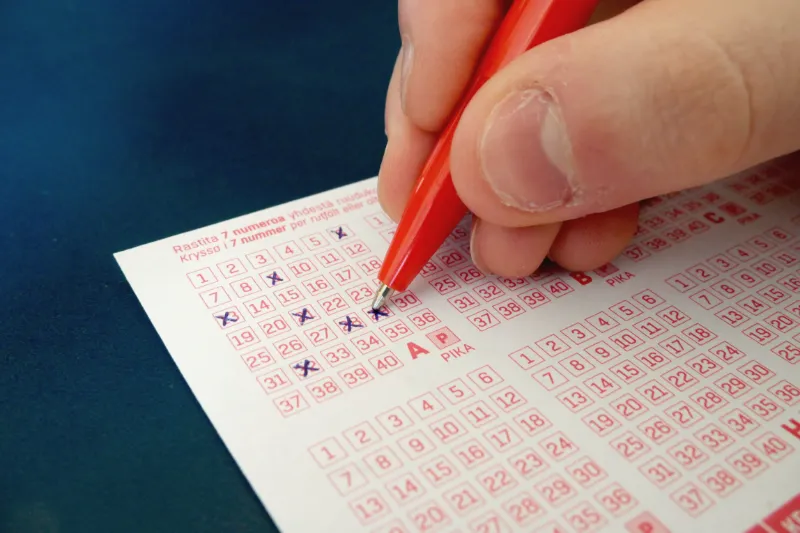
Even a trusted time-stamp dates only the signature. Buchanan says he edited the winning numbers into his image after a lottery draw. According to him, its trusted time-stamp from hours before the draw remained valid, because the signature covered none of the image.[5] The UMBC-led authors add that nothing in the signed data refers to the time-stamp, so it can be removed and replaced without detection.[7]
Step 6: If the credential is missing, look for soft bindings and watermarks
Do not treat a missing manifest as evidence about a file's origin, because metadata can be removed deliberately or accidentally.[9] Soft bindings can lead back to the manifest. A soft binding is an identifier computed from the content, such as a fingerprint, or embedded in the content as an invisible watermark. It can therefore match a copy whose bytes differ.[1]
If the original manifest recorded a soft binding and a copy is stored in a manifest repository, the binding can locate that copy. The matcher must then confirm that every soft binding in the recovered manifest matches those used in the search.[1] The CAI adds a fingerprint check that the content matches the recovered manifest. It notes that watermarks can be removed or spoofed, and that fingerprint matches are never certain.[9]
A watermark detector covers only generators that embed its watermark. Google opened its SynthID Detector to everyone on 7 October 2026. Google says the detector checks whether an image, video or audio file was made with AI from Google or from partners including OpenAI, NVIDIA and Kakao.[10] A negative result therefore says nothing about other generators, as our brief on the detector notes.
A worked example
Sources
- Content Credentials: C2PA Technical Specification, Version 2.4
- Using C2PA Tool
- Trust lists
- C2PA Conformance Program, Version 0.2
- How to Hack Time, With C2PA
- Verifying Provenance of Digital Media: Security Analysis of C2PA and its Implementation
- Verifying Provenance of Digital Media: Why the C2PA Specifications Fall Short
- C2PA Cameras Do Not Survive Contact With Reality
- Durable Content Credentials
- Google expands SynthID Detector for AI content
Check or correct this page
Verification record
The digest below shows whether the text you are reading matches the published source. It does not show that the reporting is correct. The build computes it from this page's Markdown source and lists it in the site manifest.
6db56af9675678b1625afd716ba6d98731c11f841467856681c51bf0344a0a31